
NewKing James Version Bible
KJV Bible offlineLibraries & Demo
4.8556.00 Reviews
- Version
- Newking James Version BIBLE 16.0
- Installs
- 100.00K
- Age Rating
- Everyone
Screenshots


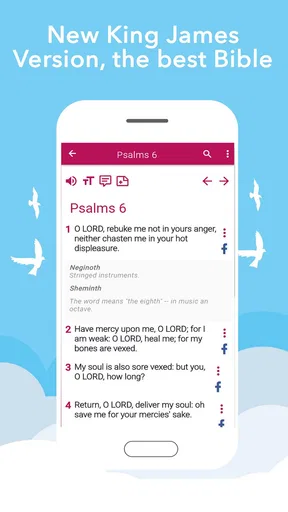
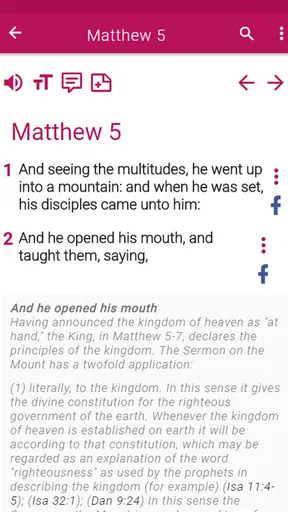
Our Review of NewKing James Version Bible
 Analysis by Appyee
I approach a Bible app differently from a general reading app: the text matters most, but so do the small choices that affect whether I can return to it comfortably and confidently. NewKing James Version Bible is aimed at readers who want the New King James Version on a phone, with reading and study tools gathered in one place. I find that focus useful for a familiar daily routine, though I would not treat a collection of in-app tools as a substitute for checking how a particular feature works before relying on it.
A familiar translation in a focused app
The app is a free Bible and study app from KJV Bible offline, in the Libraries & Demo area of the app catalog. Its current release is Newking James Version BIBLE 11.0, and the app has been available since March 13, 2018. It is rated for Everyone and runs on Android 6.0 or later. Those details make it a practical option for many Android users, including people using an older compatible phone, but they do not tell me what permissions it requests or how it handles personal information. For a trust-minded reader, that distinction matters: I can judge the visible reading experience, but I should not assume privacy practices that I have not checked.
The app has a 4.7 average from around 5,100 ratings, with about 556 written reviews and over 100,000 installs. That level of use can be a helpful sign that other readers have found it worth trying, but popularity alone is not proof of accuracy, reliability, or a particular data policy. I would use those figures as context, not as a reason to skip my own checks. It is free to install, with in-app purchases listed at $0.99 per item, so I would also look carefully at any purchase prompt and decide whether an optional paid item is relevant before tapping through.
Reading, study, and the choices that matter
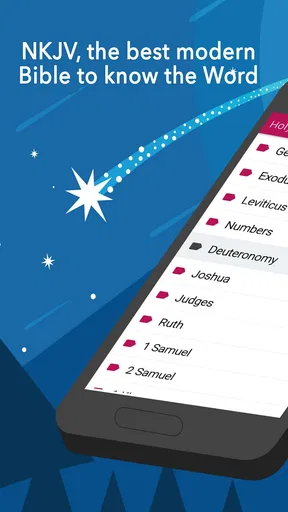
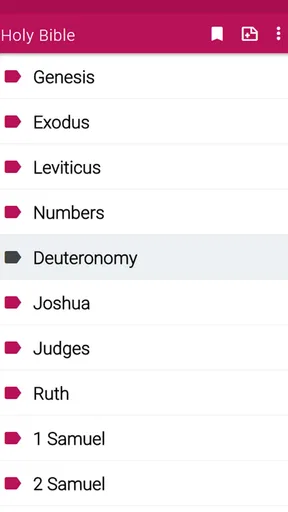
Opening the New King James Version Bible app feels like stepping into a well-organized library. The interface is clean, intuitive, and surprisingly fast. There's something comforting about knowing you can access any verse or chapter in a matter of seconds. No more flipping through pages or losing your place!
The main screen greets you with a simple menu, offering options like "Read," "Study," "Bookmarks," and "Notes." It’s like having a personal study buddy right in your pocket. The design is minimalistic, which I found quite refreshing. It prioritizes functionality over flashy designs, which is exactly what you need when you’re focused on the Word.
Getting into the text at your own pace
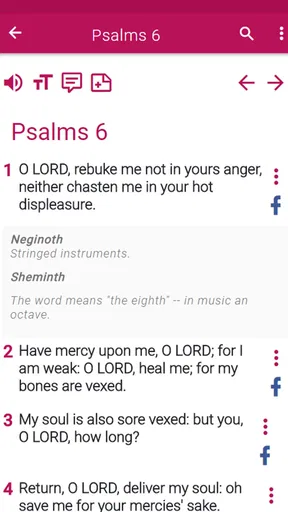
Reading scripture on this app is a breeze. The text is clear and easy to read, even on smaller screens. You can adjust the font size and change the background color to suit your reading preferences. I appreciate how these small tweaks can make a huge difference during longer reading sessions.
That kind of adjustment is more than decoration. If I am reading in short bursts on a commute, a comfortable font can make it easier to stay with a passage instead of abandoning it because the screen feels cramped. At home, I might use a larger size and read a few chapters at a slower pace. I would make those display changes before starting a longer session, rather than interrupting a passage every few minutes to experiment. For readers who need high-contrast controls, though, visual customization should not be confused with a full accessibility suite; I would try the actual screen on my own device before depending on it for extended reading.
One of the standout features is the "Verse of the Day." It’s like a little daily dose of inspiration that pops up as soon as you open the app. It’s a great way to start your morning, or even to reflect upon before bed.
I see that prompt as a doorway into reading, not a complete devotional plan. A useful habit is to read the verse, then open the surrounding passage and consider who is speaking and what comes before and after it. That simple step can prevent a single line from being detached from its context. If I am using the app during a quiet morning, I can make the verse a starting point for a few minutes of reading; if I am in a hurry, I can leave it for later rather than feeling that a quick glance counts as a full study session.
Study tools and a more deliberate workflow
If you’re looking to dive deeper into your studies, the app’s tools are a game-changer. The "Study" section offers a treasure trove of resources. You can cross-reference different translations or check out commentaries for additional insights. For those of us who love a good study session, this feature is invaluable.
Cross-references and commentaries are most helpful when I treat them as aids to interpretation rather than automatic answers. I would first read the passage in the NKJV, note a question in my own words, and only then consult the study material. That order keeps another interpretation from becoming my first impression. When comparing translations, I would focus on a verse where wording is genuinely difficult, instead of switching back and forth line by line without a clear question. This makes the tools serve a purpose and keeps a short study from turning into a distracting tour through menus.
A practical workflow for a group discussion is to bookmark the passage beforehand, write a short note with the question I want to raise, and return to that note after the meeting to record what I learned. This is more dependable than assuming I will remember a thought later. It also creates a personal trail of study without requiring a long journal entry every time I open the app. Readers who prefer formal scholarly resources, detailed citation systems, or a broad library of reference works may still want a dedicated study platform or printed commentaries alongside it; a pocket Bible is convenient, but convenience does not make every study need identical.
The "Notes" feature is perfect for jotting down thoughts or revelations as they come to you. I’ve found it particularly useful during sermons or Bible study groups. Plus, everything syncs seamlessly across devices, which is a lifesaver for those of us who switch between phones and tablets.
For notes I would keep entries concise and specific: the passage, the question, and one thought to revisit. That structure helps when I return to an older entry and cannot remember why I saved it. A note written during a sermon may also include someone else’s personal comments or details, so I would avoid putting sensitive information in a place unless I had checked how the app stores and protects it. The convenience of having a thought beside a passage is real; it does not, by itself, answer questions about backup, account access, or who can see that material.
Sharing without losing control of the conversation
In today’s connected world, sharing is key. The app includes options to share your favorite verses or insights directly to social media or via email. It's like spreading a little bit of light with just a tap. Engaging with friends and family over scripture has never been easier.
I would use sharing selectively. Sending a passage to a friend who asked about it is different from posting a verse publicly, where it may be read without the context that matters to me. Before sharing, I would check the selected text and the destination shown by the phone, especially if a note or personal reflection is involved. The practical benefit is quick conversation; the trade-off is that once content leaves the app, the audience and handling depend on the service I choose to send it through.
Another cool feature is the "Community" section, where you can join discussions and connect with like-minded individuals. It’s a great way to feel part of a larger community, especially if you're studying solo.
A community space can make solitary reading feel less isolated, but I would approach discussions with the same care I use in any online conversation. I would read the tone and purpose of a group before sharing personal details or treating a comment as authoritative. If I want a quiet reading tool, I can simply stay with the text and avoid the social side; if I want structured discussion led by a particular church or teacher, a group I already know may be a better fit. The choice to participate should be a benefit, not a requirement for using the Bible itself.
Trust, privacy, and everyday decisions
When an app contains reading notes and offers ways to share passages, trust is not an abstract concern. My notes may be ordinary reminders, but they may also reflect private questions or conversations. I would check the permissions shown by Android during installation and in the system settings, and consider whether each requested access makes sense for the task I want to do. I would not grant access simply because an app asks, nor would I infer a problem just because I have not inspected a permission screen. The sensible approach is to make that decision from the actual controls presented on my device.
I would also look for any account or sync choice before entering personal material. The earlier interface description mentions notes syncing between devices, but the details that matter to me are how that sync is enabled, what account is involved, and what controls are available. I would verify those choices in the app rather than assume that synchronization is automatic, optional, or protected in a particular way. If I only need to read scripture on one phone, I can keep my use simple and avoid adding an account or sensitive notes unless I understand the trade-off.
There are a few moments when I would pause before acting: granting a permission, signing in, enabling a sync option, sharing a verse, or confirming an in-app purchase. Those are ordinary moments, but they are exactly where a user can make an informed choice. The app is free to download, while optional items are listed at $0.99 each; I would review what an item offers and the purchase confirmation on the device before proceeding. That is more useful than assuming every feature is included or treating a purchase prompt as something I must accept.
Where it fits among Bible apps
Compared with a printed NKJV Bible, this app is easier to carry and can bring reading, notes, bookmarks, and study aids together on one screen. A printed book is still better for a distraction-free session, for marking pages by hand, or for someone who does not want a phone nearby while reading. Compared with a general Bible app that emphasizes many translations or a broad media library, this one is most appealing if the NKJV is already the version I want and I value a focused set of reading and study options. The right choice depends less on which app has the longest menu and more on whether its translation and workflow match how I actually read.
I would recommend it to someone who wants to keep the NKJV close, make brief notes, revisit bookmarked passages, or begin a small daily habit without carrying a separate study book. It also suits a reader who likes to consult commentary during personal reading but does not need a full desktop research setup. Someone who needs a different translation as their main text, extensive academic tools, a carefully managed church discussion space, or a paper-free phone environment may be happier with another Bible app, a dedicated reference tool, or a physical Bible. Those are not flaws so much as clear reasons to choose according to the job at hand.
A realistic use for me would be opening the verse of the day over breakfast, reading the nearby passage rather than stopping at one line, and saving a question as a short note before heading out. Later, at a study group, I could return to the bookmark and share the passage if it helps the conversation. I would keep the note free of other people’s private details and decide separately whether sync or sharing is worth using. That routine takes advantage of the app’s convenience while leaving me in control of what I store and send.
Final thoughts: a useful companion with sensible limits
All in all, the New King James Version Bible app is a fantastic tool for anyone looking to engage with scripture on a deeper level. Whether you’re a casual reader or a serious scholar, this app has something to offer. Its user-friendly design, combined with robust study tools, makes it a must-have for anyone serious about their spiritual journey.
So, why not give it a shot? You might just find that this app becomes an integral part of your daily routine, helping you connect with the Word in a more meaningful way.
My recommendation is a little more specific: I would try it if the NKJV is the translation I want and I value quick access, adjustable reading, and a place to keep study thoughts together. I would spend a few minutes checking the permissions and any account, sync, or purchase choices before putting private notes into it. The app’s strong user response and free entry point make it easy to consider, but my decision would ultimately rest on whether the reading experience feels comfortable and whether its visible choices fit my own boundaries. Used that way, it can be a convenient companion; it does not need to replace a printed Bible or a more specialized study setup to be worthwhile.
Verdict
Strengths of NewKing James Version Bible
- Easy-to-navigate interface.
- Offline access available.
- Comprehensive search feature.
- Customizable reading plans.
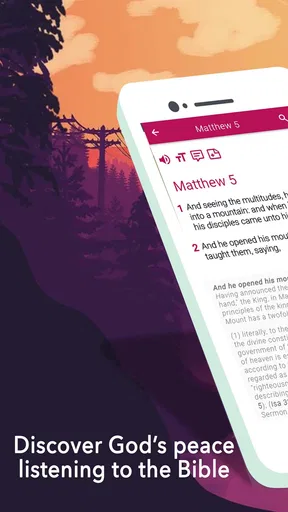
- Audio Bible option included.
Limitations of NewKing James Version Bible
- Contains ads in free version.
- Limited font customization.
- Audio feature requires internet.
- No cross-references included.
- Occasional app crashes reported.
Other Releases by KJV Bible offline
View All
Amplified Bible offline
Libraries & Demo4.8

Complete Jewish Bible
Libraries & Demo4.8
Similar Picks in This Category
View All
PGT: GFX, Launcher & Optimizer
Trilokia Inc.4.5

AusweisApp Bund
Governikus Service GmbH3.7

Cardboard
Google LLC3.2

Gamers GLTool with Game Tuner
Trilokia Inc.4.5

Multi Web Chat - Read Secretly
World Scan & Cleaner3.8

App Cloner Premium & Add-ons
App Listo1.9
Frequently Asked Questions
What features does the New King James Version Bible app offer?
The New King James Version Bible app provides a comprehensive suite of features including offline access to the entire Bible, daily reading plans, and a verse of the day. Users can also enjoy personalized bookmarks, highlight passages, and take notes. Audio Bible features enable listening on the go, enhancing the experience for auditory learners.
Is the New King James Version Bible app available for both Android and iOS?
Yes, the New King James Version Bible app is available for download on both Android and iOS platforms. You can easily find it on Google Play Store and Apple App Store. The app is designed to work seamlessly across devices, ensuring a smooth experience whether you're using a smartphone or tablet.
Are there any in-app purchases or subscriptions required?
The New King James Version Bible app is free to download and offers many features at no cost. However, there are optional in-app purchases available, such as premium features and ad-free experiences. Users can choose to subscribe for additional content or enhanced functionalities, but it is not mandatory to enjoy the core features.
How user-friendly is the New King James Version Bible app interface?
The app boasts a user-friendly interface, making it easy to navigate for users of all ages. It features a clean design with intuitive controls for searching and reading scripture. The customization options, such as font size and theme, ensure that users can tailor the reading experience to their preferences, promoting accessibility and ease of use.
Does the app offer any community or social features?
Yes, the New King James Version Bible app includes social and community features that allow users to share verses directly to social media platforms or with friends via email or messaging apps. Additionally, some versions of the app may offer group Bible studies or discussion forums, enhancing the communal aspect of Bible study.
